The Story
Why buy individually? Did you know you can unlock every product instantly with an All Access Membership?

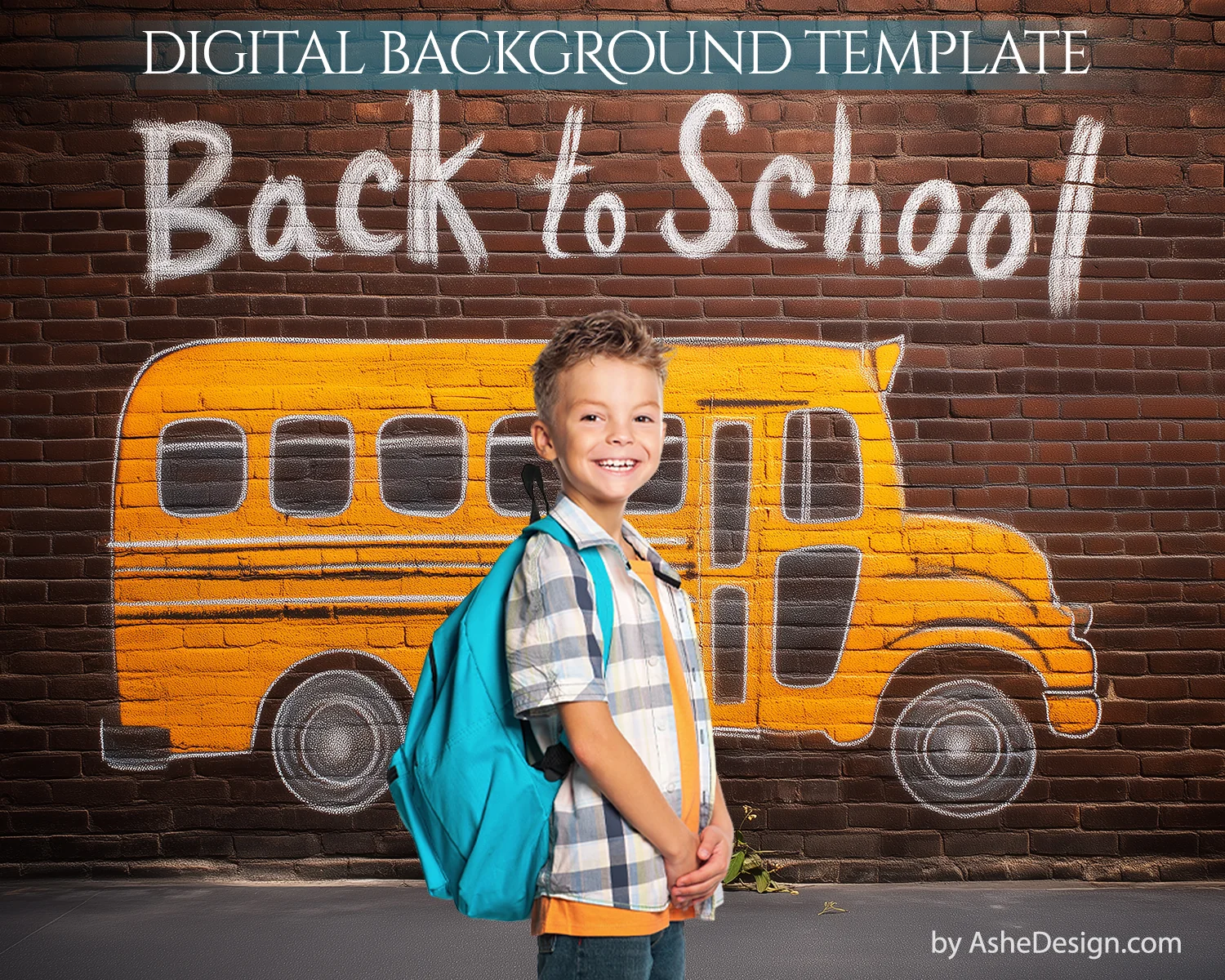
Celebrate the excitement of a new school year with our “Brick School Bus” digital backdrop! This playful, high-resolution background features a fun, chalk-style illustration of a classic yellow school bus drawn on a textured red brick wall, complete with “Back to School” lettering. Perfect for first-day portraits, school photo sessions, and classroom composites, this backdrop adds a cheerful and creative vibe to your images.
Ideal for photographers, educators, or parents wanting a memorable school-themed scene, “Brick School Bus” is easy to blend with your subject and delivers a bright, polished look with a touch of whimsy. It’s the perfect digital prop to make back-to-school portraits pop!
Download Links Include
- (1) 16x20 high resolution .PSD file
-
(1) 8x10 high resolution .PSD file
- Formatted for printing at any print lab
Software Requirements
- Adobe Photoshop needed to edit our Photoshop templates
- Compatible with Photoshop; Photoshop Elements
- Compatible with Mac & PC (NOT mobile devices)
How To Use
- First remove the background from your subject. Watch video HERE
- Second, add your cutout image to the Photoshop template. Watch video HERE
Description
Why buy individually? Did you know you can unlock every product instantly with an All Access Membership?
Celebrate the excitement of a new school year with our “Brick School Bus” digital backdrop! This playful, high-resolution background features a fun, chalk-style illustration of a classic yellow school bus drawn on a textured red brick wall, complete with “Back to School” lettering. Perfect for first-day portraits, school photo sessions, and classroom composites, this backdrop adds a cheerful and creative vibe to your images.
Ideal for photographers, educators, or parents wanting a memorable school-themed scene, “Brick School Bus” is easy to blend with your subject and delivers a bright, polished look with a touch of whimsy. It’s the perfect digital prop to make back-to-school portraits pop!
Download Links Include
- (1) 16x20 high resolution .PSD file
-
(1) 8x10 high resolution .PSD file
- Formatted for printing at any print lab
Software Requirements
- Adobe Photoshop needed to edit our Photoshop templates
- Compatible with Photoshop; Photoshop Elements
- Compatible with Mac & PC (NOT mobile devices)
How To Use
- First remove the background from your subject. Watch video HERE
- Second, add your cutout image to the Photoshop template. Watch video HERE