The Story
Why buy individually? Did you know you can unlock every product instantly with an All Access Membership?

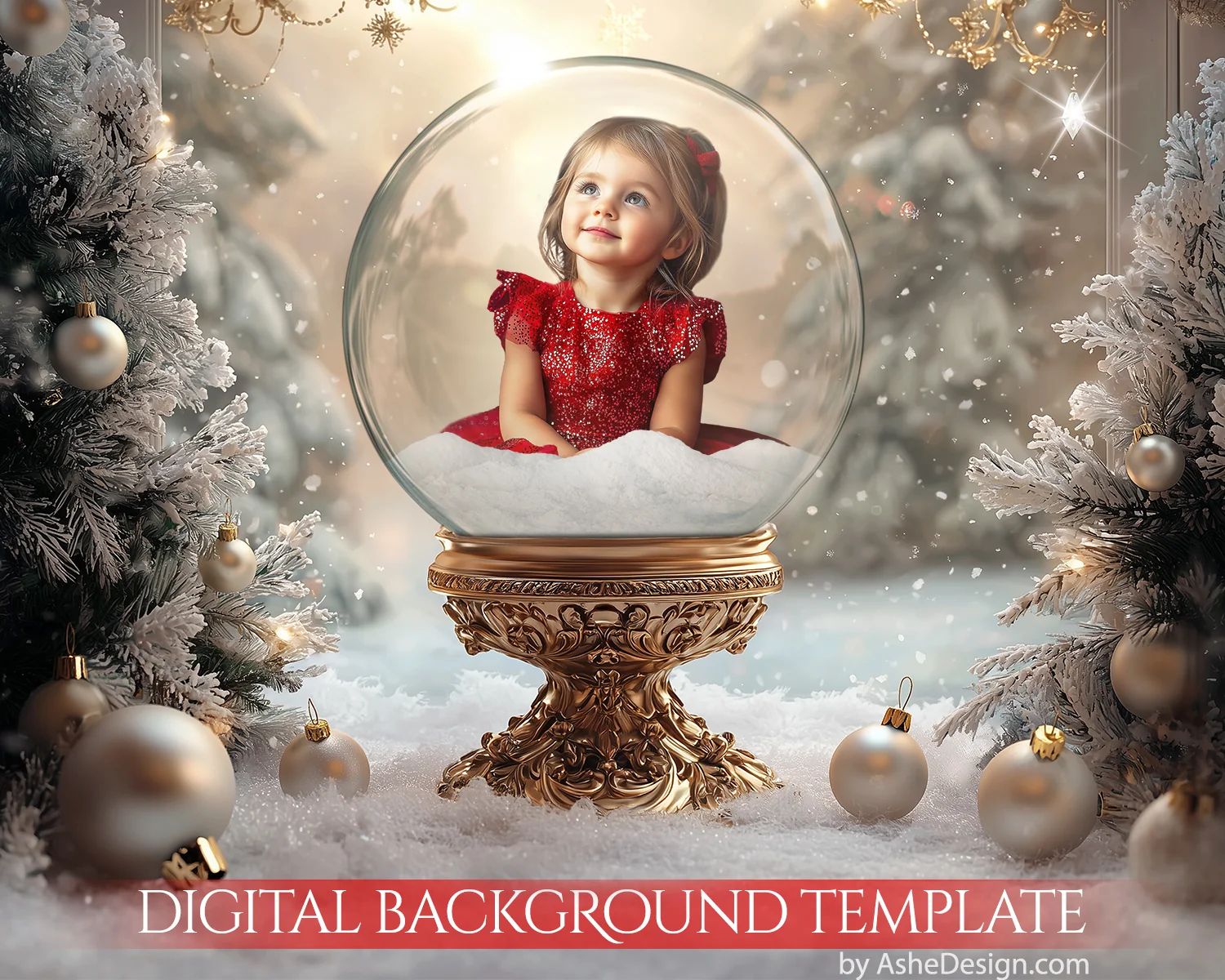
Our "Winter Snow Globe" layered Photoshop digital backdrop – a magical holiday scene featuring a beautifully ornate gold snow globe base, surrounded by snow-dusted Christmas branches and sparkling ornaments. Easily insert your cut-out images into the globe, creating a whimsical and festive winter wonderland.
Perfect for holiday portraits, seasonal cards, and festive projects, the "Winter Snow Globe" backdrop brings a touch of elegance and Christmas charm to your photography. With delicate snowfall and the enchanting glow of the globe, this backdrop creates a timeless, heartwarming scene.
Download Links Include
- (1) 16x20 high resolution .PSD file
- (1) 8x10 high resolution .PSD file
- Formatted for printing at any print lab
Software Requirements
- Adobe Photoshop needed to edit our Photoshop templates
- Compatible with Photoshop; Photoshop Elements
- Compatible with Mac & PC (NOT mobile devices)
How To Use
- First remove the background from your subject. Watch video HERE
- Second, add your cutout image to the Photoshop template. Watch video HERE
Description
Why buy individually? Did you know you can unlock every product instantly with an All Access Membership?
Our "Winter Snow Globe" layered Photoshop digital backdrop – a magical holiday scene featuring a beautifully ornate gold snow globe base, surrounded by snow-dusted Christmas branches and sparkling ornaments. Easily insert your cut-out images into the globe, creating a whimsical and festive winter wonderland.
Perfect for holiday portraits, seasonal cards, and festive projects, the "Winter Snow Globe" backdrop brings a touch of elegance and Christmas charm to your photography. With delicate snowfall and the enchanting glow of the globe, this backdrop creates a timeless, heartwarming scene.
Download Links Include
- (1) 16x20 high resolution .PSD file
- (1) 8x10 high resolution .PSD file
- Formatted for printing at any print lab
Software Requirements
- Adobe Photoshop needed to edit our Photoshop templates
- Compatible with Photoshop; Photoshop Elements
- Compatible with Mac & PC (NOT mobile devices)
How To Use
- First remove the background from your subject. Watch video HERE
- Second, add your cutout image to the Photoshop template. Watch video HERE